


The Slingshot Account Experience gives you an easy way to access your vehicle and riding information plus other resources and tools, all in one place. It allows you to find vehicle specifications, maintenance records and recommendations, manuals, warranty information, safety recalls, and RIDE COMMAND resources. You can also view your online purchase and vehicle build history.
Make sure you share your email address with your Slingshot Dealer to receive your Account welcome email. If you have an existing account, make sure to share that account's email address with your dealer when purchasing a vehicle. This will ensure your new vehicle is added to your online garage.
Accessing Your Account
Your Account can be accessed on any device. There are three ways to log in.
The first is using the LOG IN button in the upper-right-hand corner of Slingshot.Polaris.com.
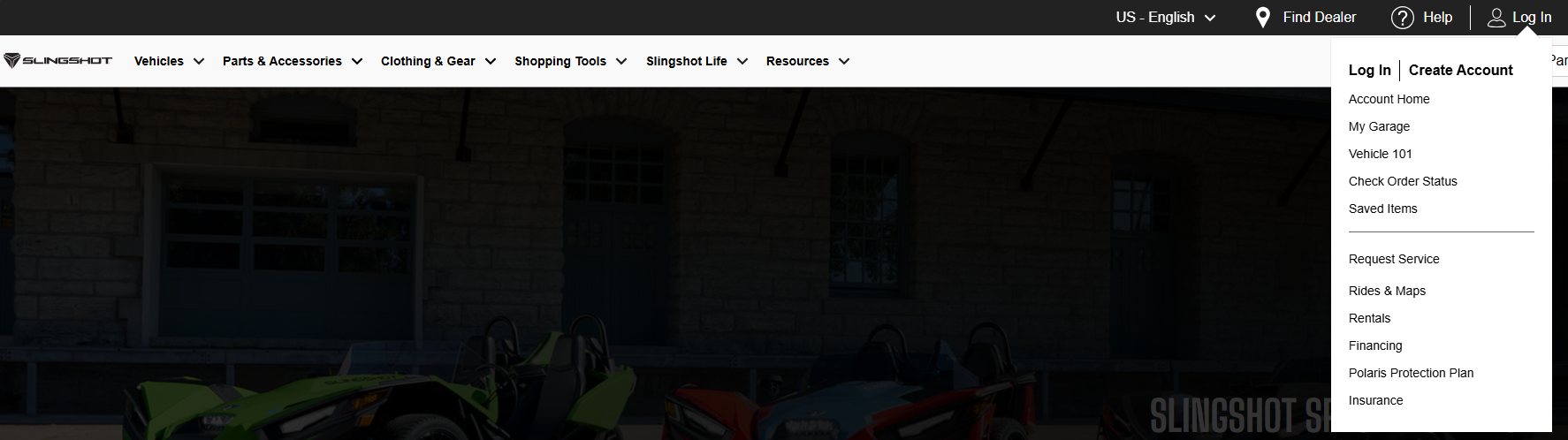
The second is under the RESOURCES menu. From the drop-down menu, select OWNER RESOURCES.

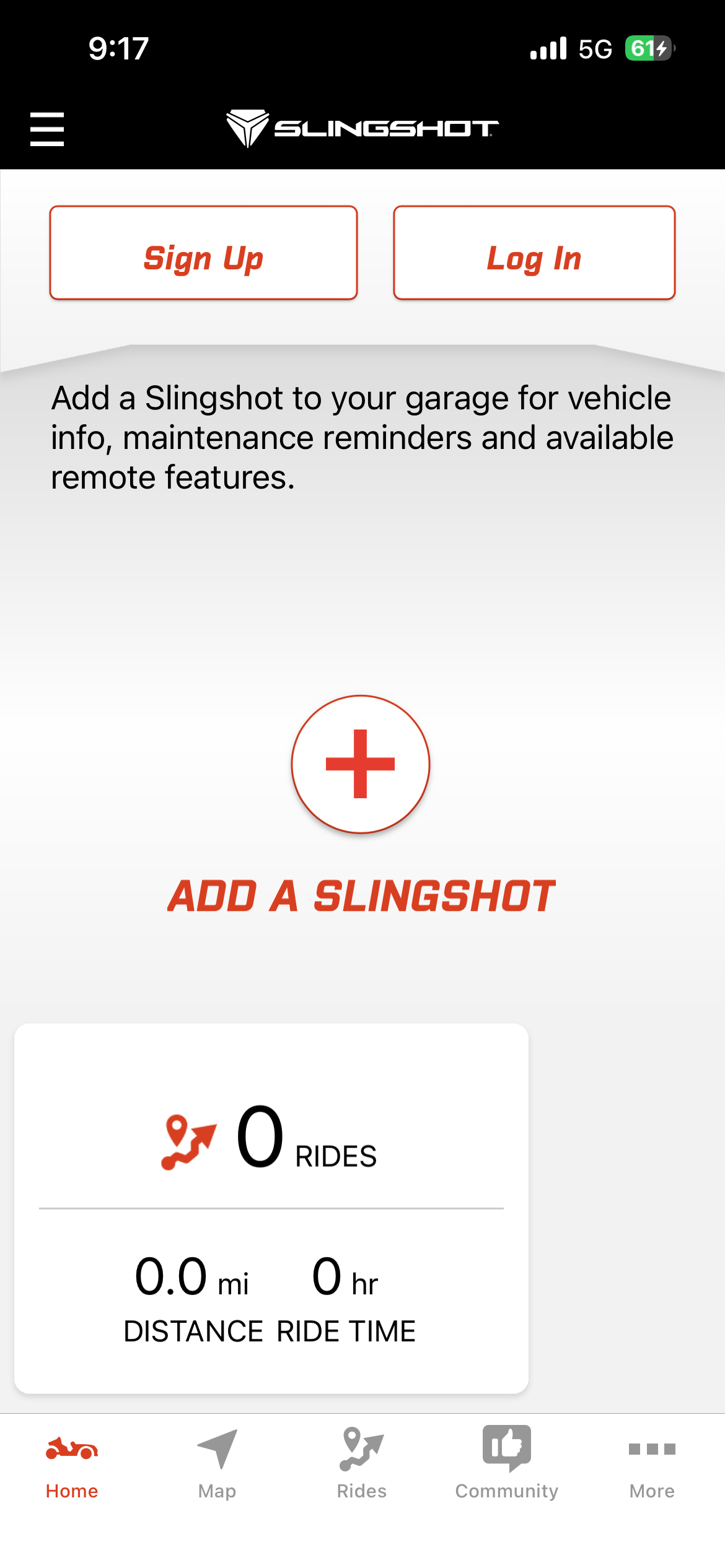
The third way to log in is on the Slingshot app powered by RIDE COMMAND.
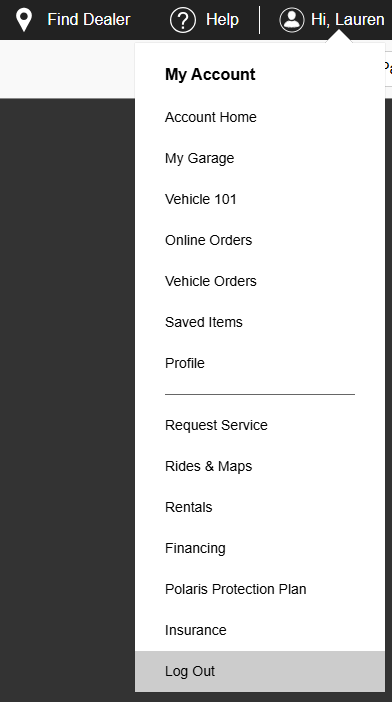
Once logged in on the website, use the ACCOUNT menu to access all of the features. Click on "Hi, *Your Name*" in the upper-right-hand corner to access this menu.
Account
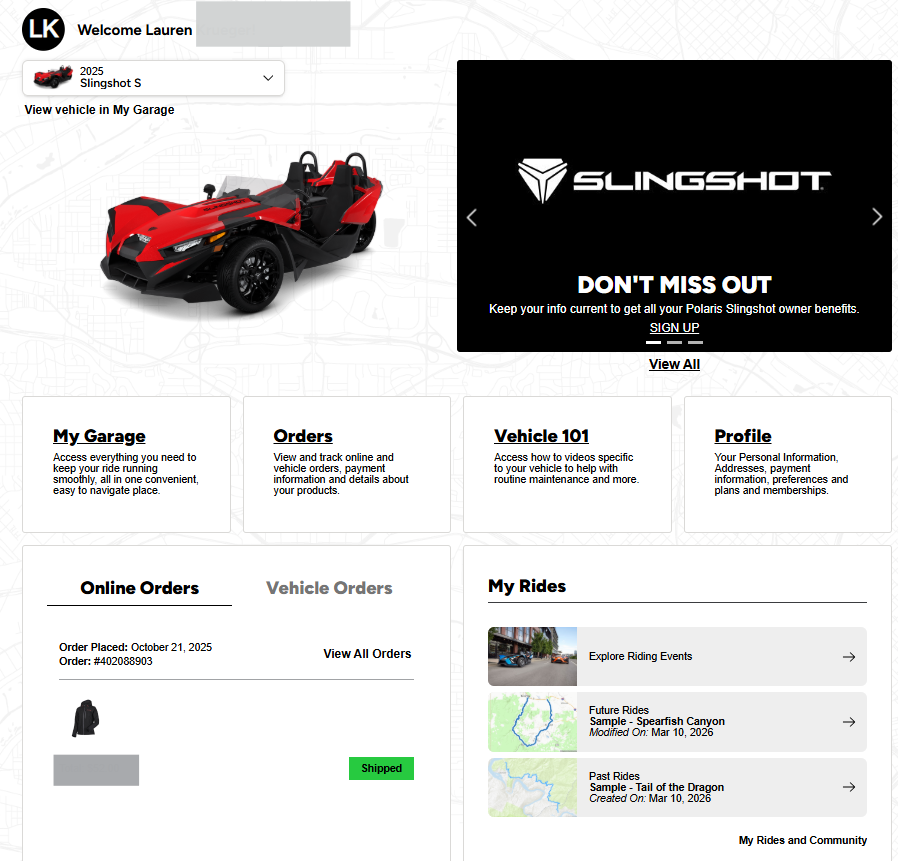
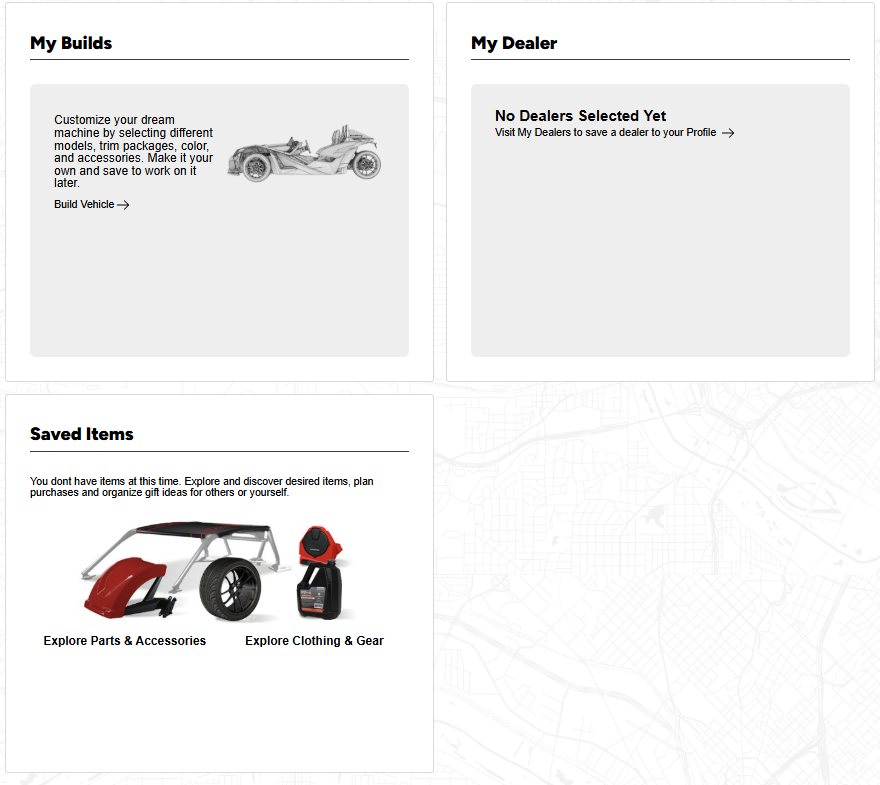
Selecting ACCOUNT HOME will bring you to the Account Experience. It has five tabs in the horizontal menu: Home, My Garage, Vehicle 101, Orders, and Profile.

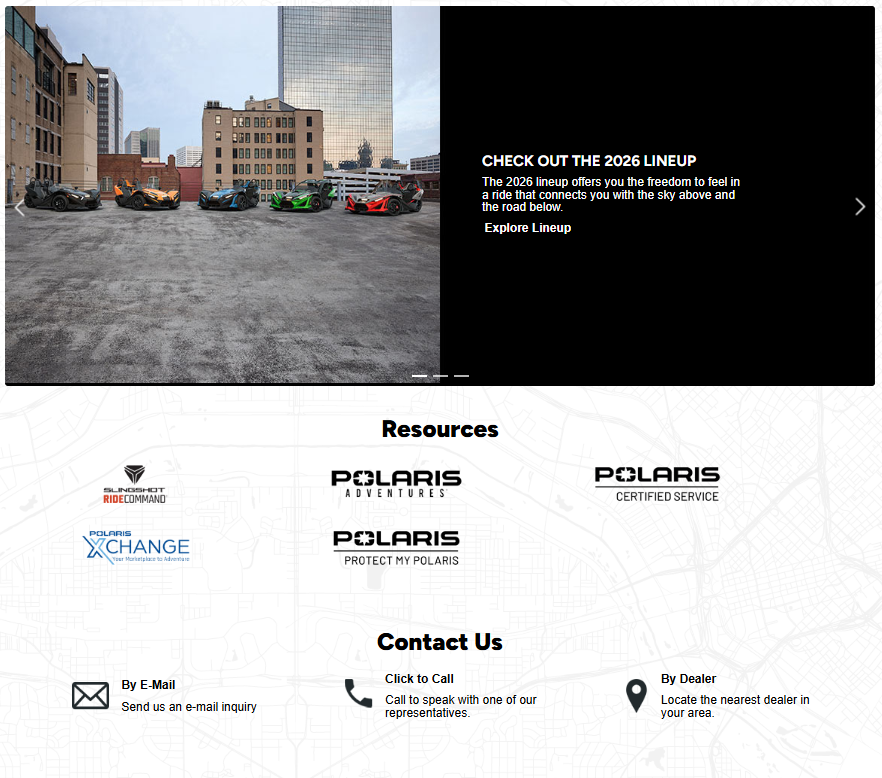
From HOME, you have quick links to your favorite vehicle in your garage and easy access to your favorite vehicle's Owner's Manual, recalls and bulletins and warranty information. You'll find links to offers, your recent online orders, your most recent tracked ride on RIDE COMMAND, your most recent saved online build, and your preferred dealer. You'll also have links to the Slingshot RIDE COMMAND site, Polaris Adventures, and more.
My Garage
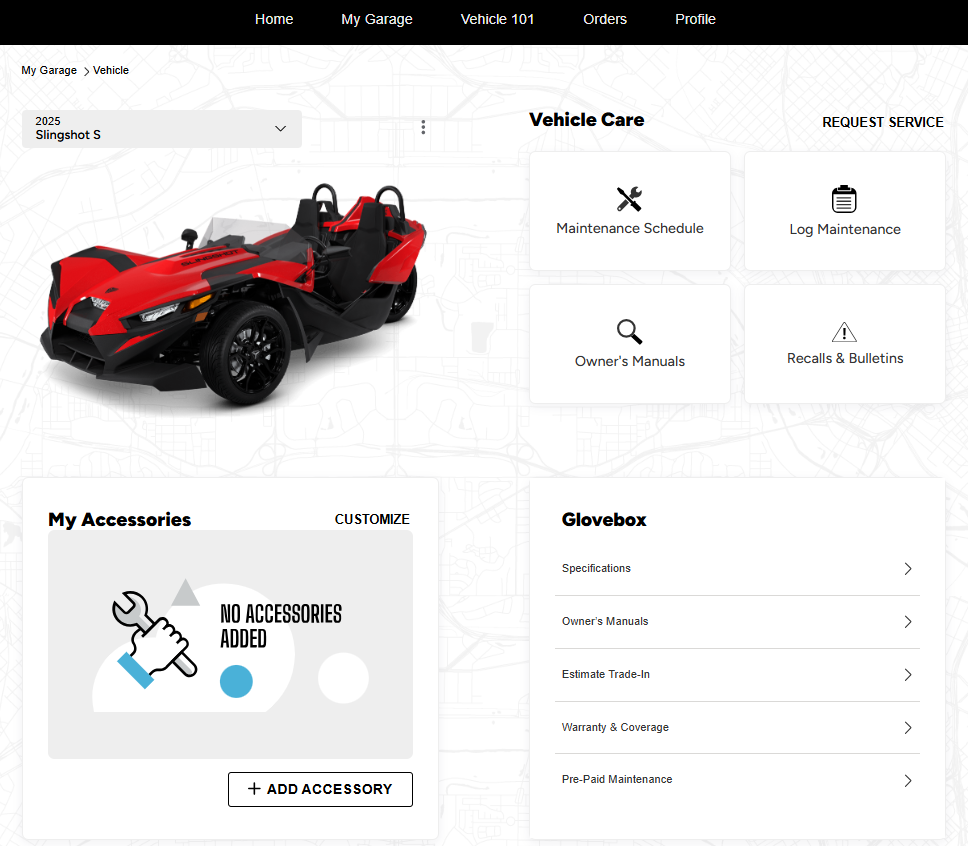
Click on MY GARAGE for more information on all your stored vehicles. By clicking on a vehicle, you can find vehicle details like VIN, model year and trim level. You can also find recommended maintenance, your maintenance records, Owner's Manuals, vehicle specifications and accessories. You also can access Estimated Trade In from My Garage.
Vehicle 101
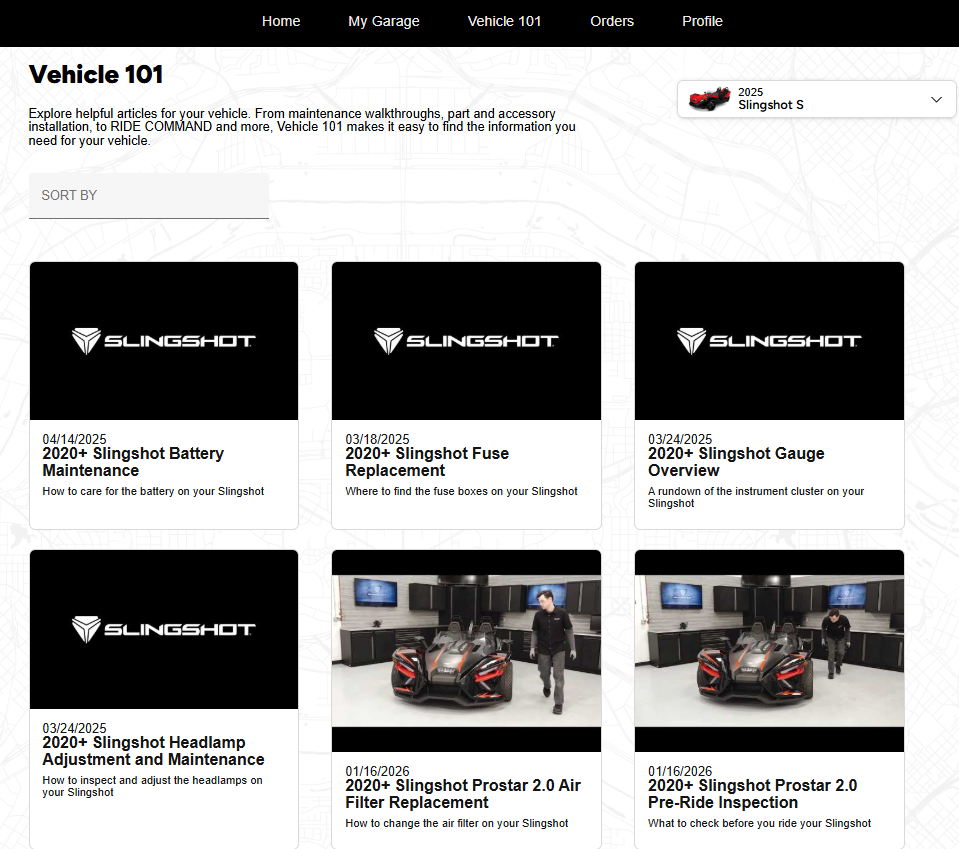
VEHICLE 101 includes articles and videos that demonstrate common maintenance procedures, as well as additional tips and safety information.
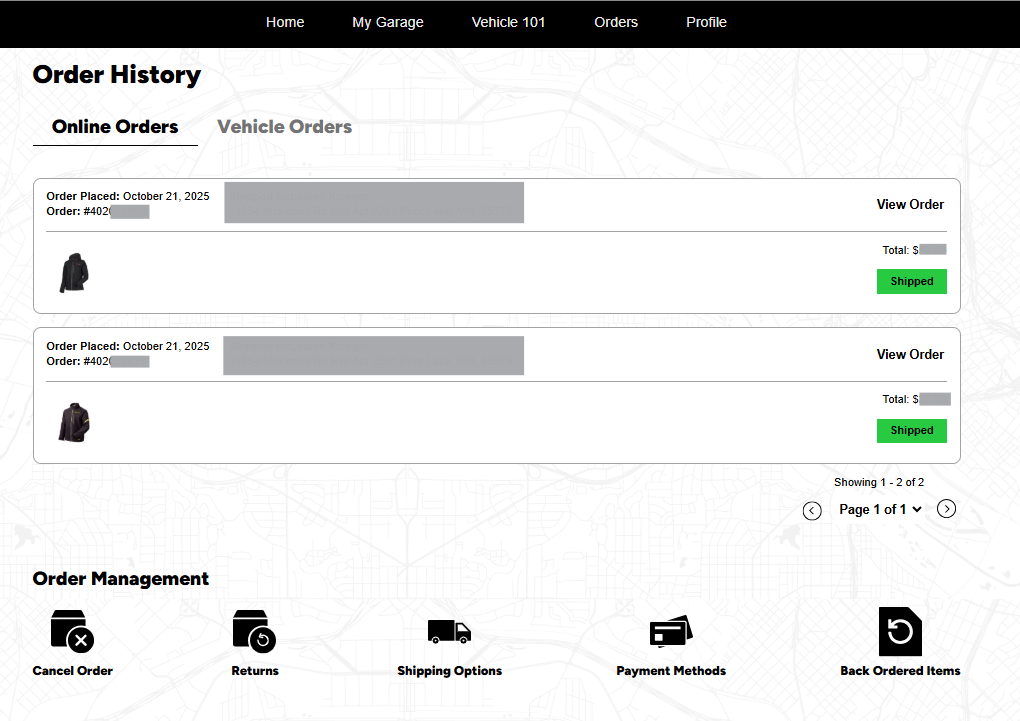
Orders
In ORDERS, you can view your current online orders and vehicle orders, order status, order management, and your purchase history.
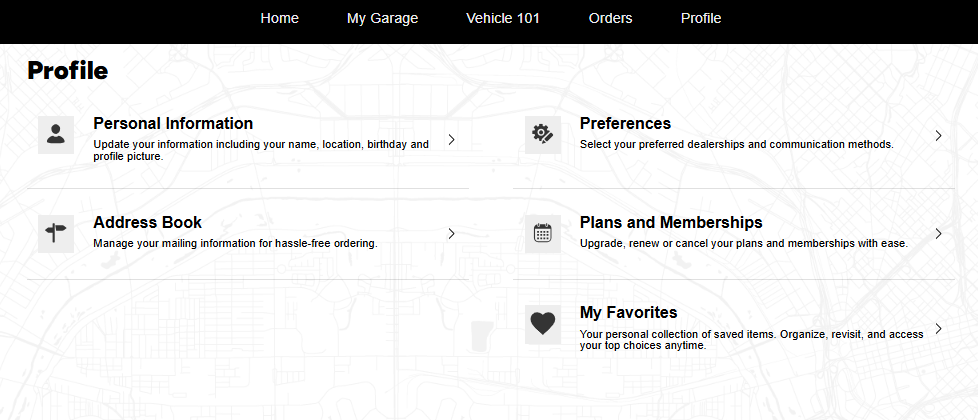
Profile
Under PROFILE, you can manage your account's personal information, shipping address, plans and memberships, and more.
Other Links
In addition to Account, My Garage, Vehicle 101, Online Orders and Profile, the drop-down menu in the upper right-hand side of the page contains links for Request Service, Rides & Maps, Rentals, Financing, Polaris Protection Plan, and Insurance.
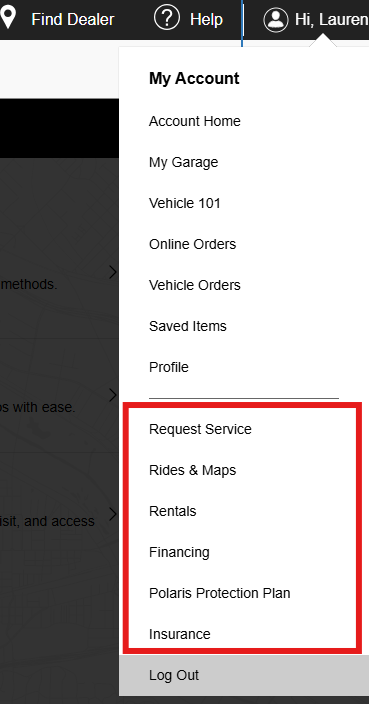
REQUEST SERVICE takes you to schedule service for your Slingshot at your preferred Slingshot dealership.
RIDES & MAPS takes you to the RIDE COMMAND website, while RENTALS brings you to the Polaris Adventures home page.
POLARIS PROTECTION PLAN and INSURANCE bring you more information about the options available to you.
Unless noted, trademarks are the property of Polaris Industries Inc.
© 2026 Polaris Industries Inc.


